The ImPACT baseline test is required for all players. If your certificate is still valid (within 2 seasons), you can upload the existing certificate or screenshot. If you need to complete a new test, use the steps and screenshots below — the website has been updated since the video guide above.
⚠️
Important — Baseline Test Requirement
Players must submit a
"Baseline" Passport ID. The system will
not accept a
"Baseline +" or
"Post-Injury" test as it does not meet the registration requirement.
Additional information and resources on ImPACT's Post-Injury testing for athletes that have suffered a concussion can be found
HERE.
Division Code
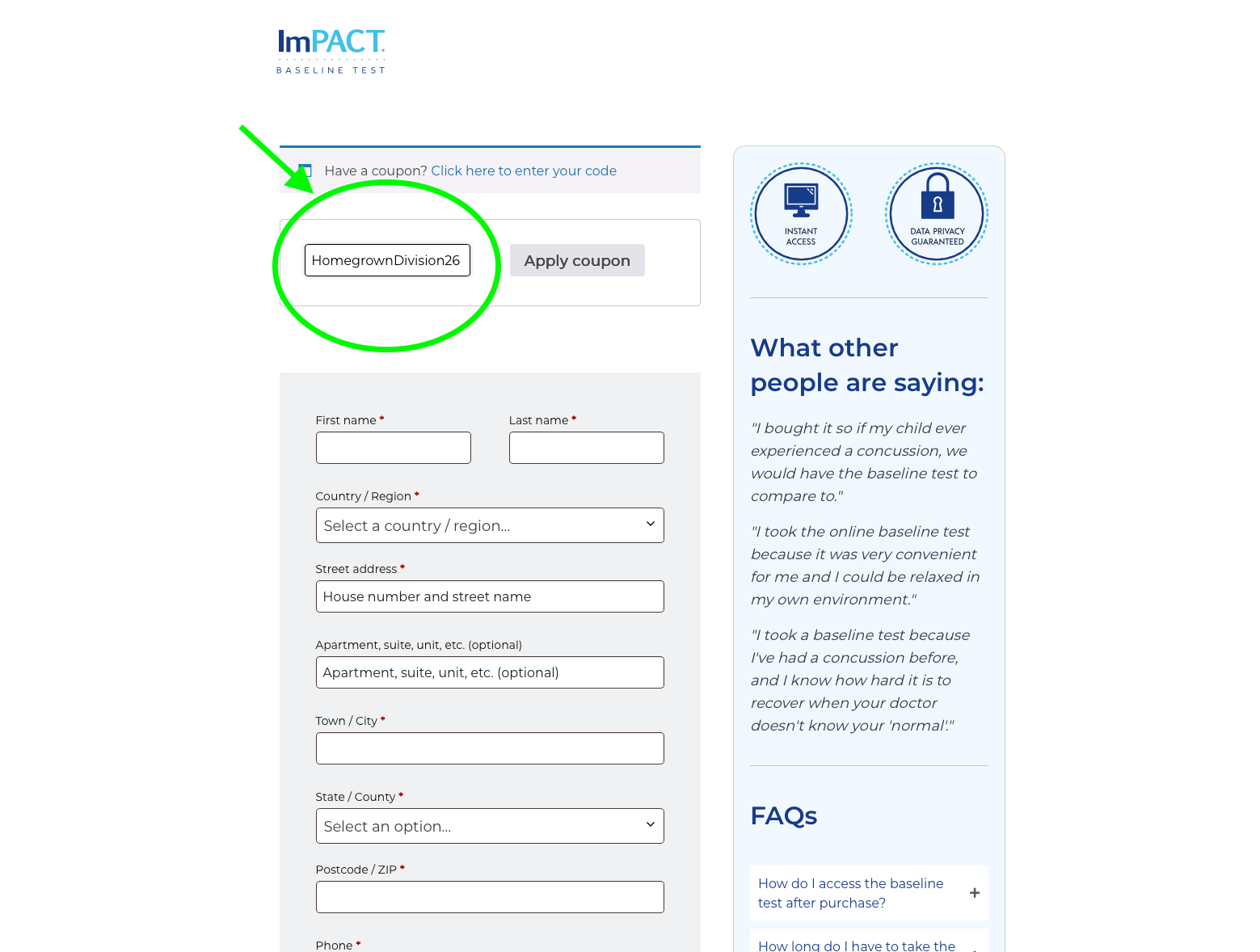
HomegrownDivision26
Enter this code when prompted for a coupon or division code on the ImPACT site.
26-27 Updated Website — Step-by-Step Screenshots
-
1
Go to the ImPACT test link provided in your Kitman Labs workflow (or use the link provided by Coach Daniel). On the first screen, enter the Division Code HomegrownDivision26 in the coupon field and click Apply Coupon. Then fill in your personal info and proceed.
-
2
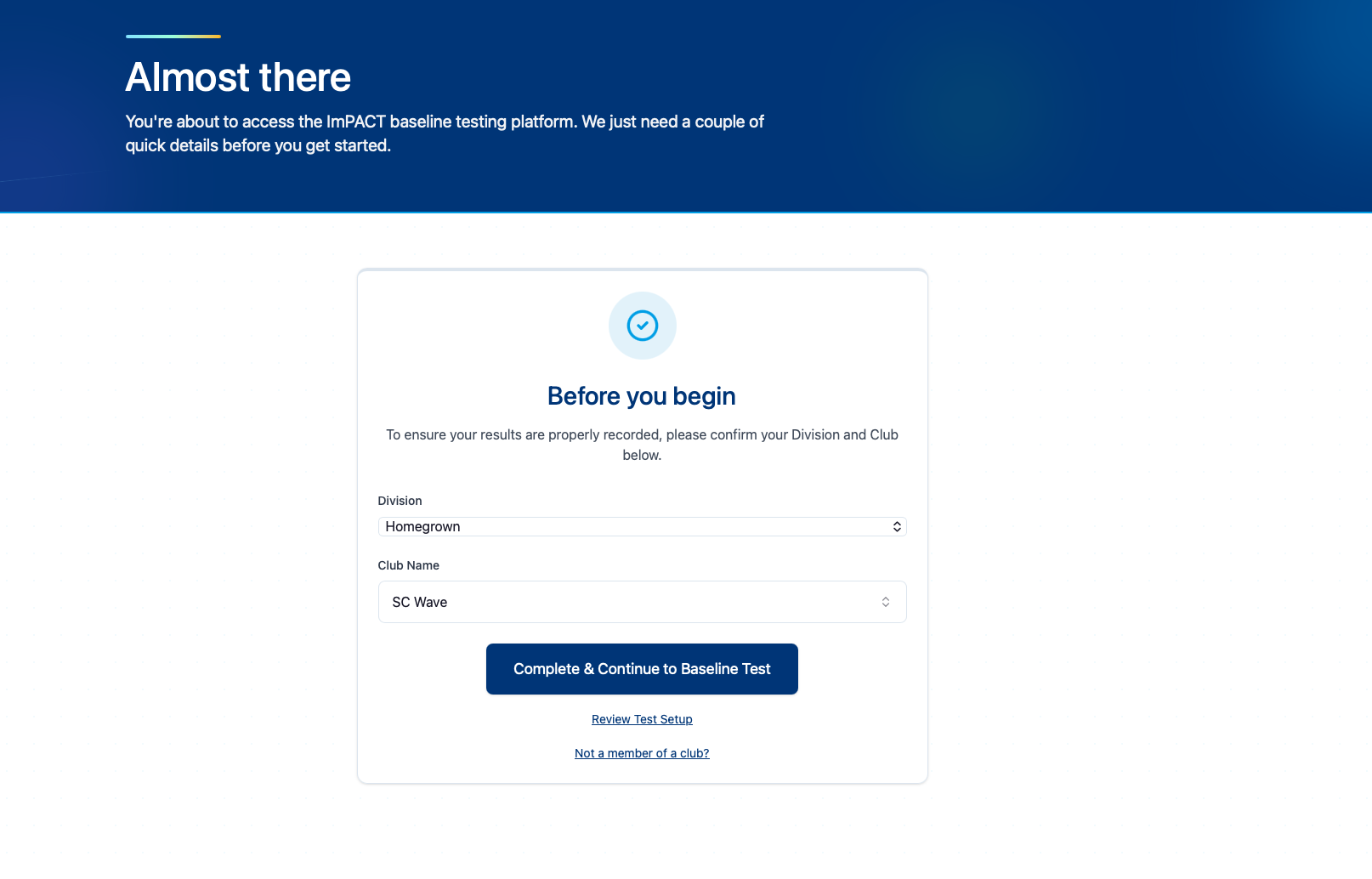
On the next screen you'll see "Almost there — Before you begin." Confirm your Division is set to Homegrown and your Club is set to SC Wave, then click Complete & Continue to Baseline Test.
-
3
Complete the baseline test. When finished, take a screenshot or download your certificate with your name and date of completion — you will need to upload it in Kitman Labs.
Step 1 — Enter Division Code
Step 2 — Confirm Division & Club
ℹ️
The video guide above shows the 25-26 ImPACT website. The screenshots above reflect the current 26-27 interface. Use both as reference — the process is the same, only the visual layout has changed.
✅
Status shows "Pending Payment"? You're good to go — your requirements were accepted and nothing else is needed on your end.

 MLS NEXT